Game Boy DMG Headphone Jack Board: Install & Use
This is the how-to companion for my DMG-01 headphone jack replacement board. The listing covers the three versions; this page walks the install and usage.
What this board does
When the original Game Boy’s headphone jack corrodes and fails, the internal speaker often goes silent too: the console wrongly thinks headphones are plugged in and mutes itself. This board fixes that for good with an all-new CUI SJ-3566AN jack and modern components, instead of a scavenged 30-year-old part. Drop it in and both headphone output and internal speaker work again.
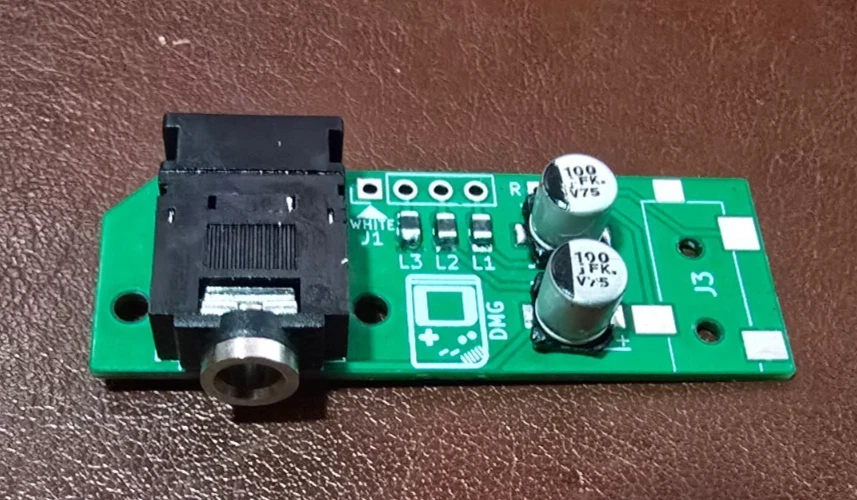
- Base: a direct 1-for-1 replacement; restores headphone and speaker audio.
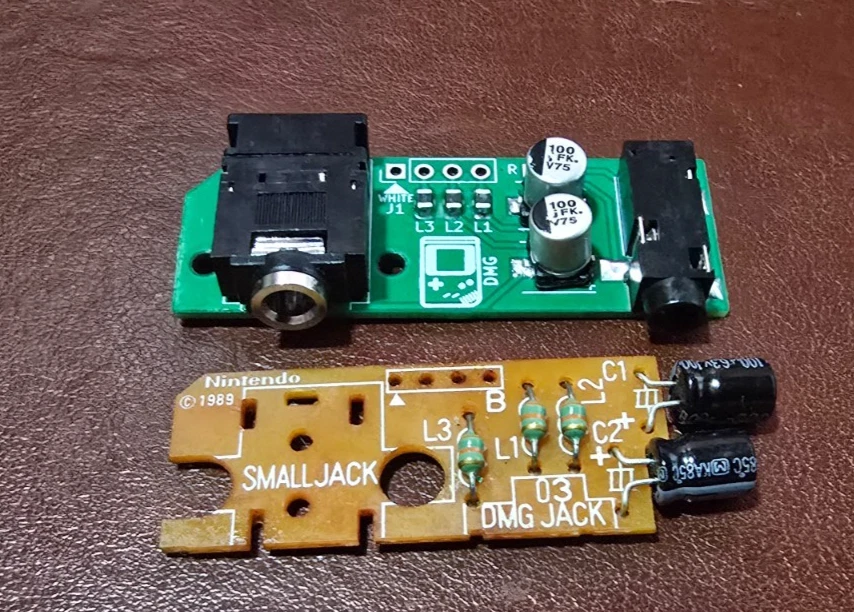
- Pro Line-Out: everything Base does, plus a second 3.5 mm jack with a clean, amp-bypassed line-level output for recording and chiptune work.
- Bare Board: the unpopulated PCB for those sourcing and assembling parts themselves.
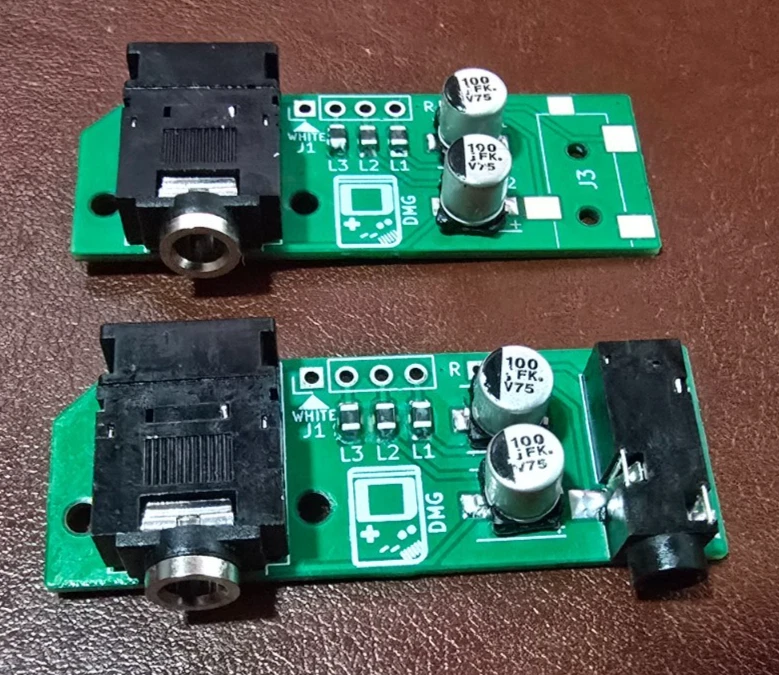
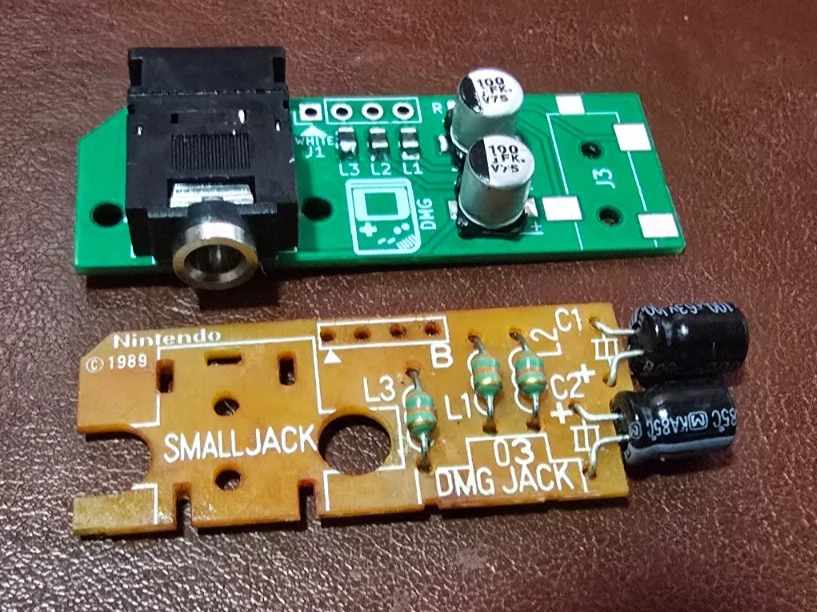
It fits the original Nintendo Game Boy DMG-01 only. You reuse the four wires from your old harness, not the old jack (that’s usually the failed part). The PCB is laid out for the modern CUI jack and won’t accept an original Nintendo jack.
Before you start
This is a DIY modding part, not a plug-in module, so know what you’re signing up for:
- Soldering required. The Base install is beginner-to-intermediate: through-hole-style pads, not fine SMD work. The Pro is a step up because you also solder two fine wires to the volume-wheel pins on the mainboard.
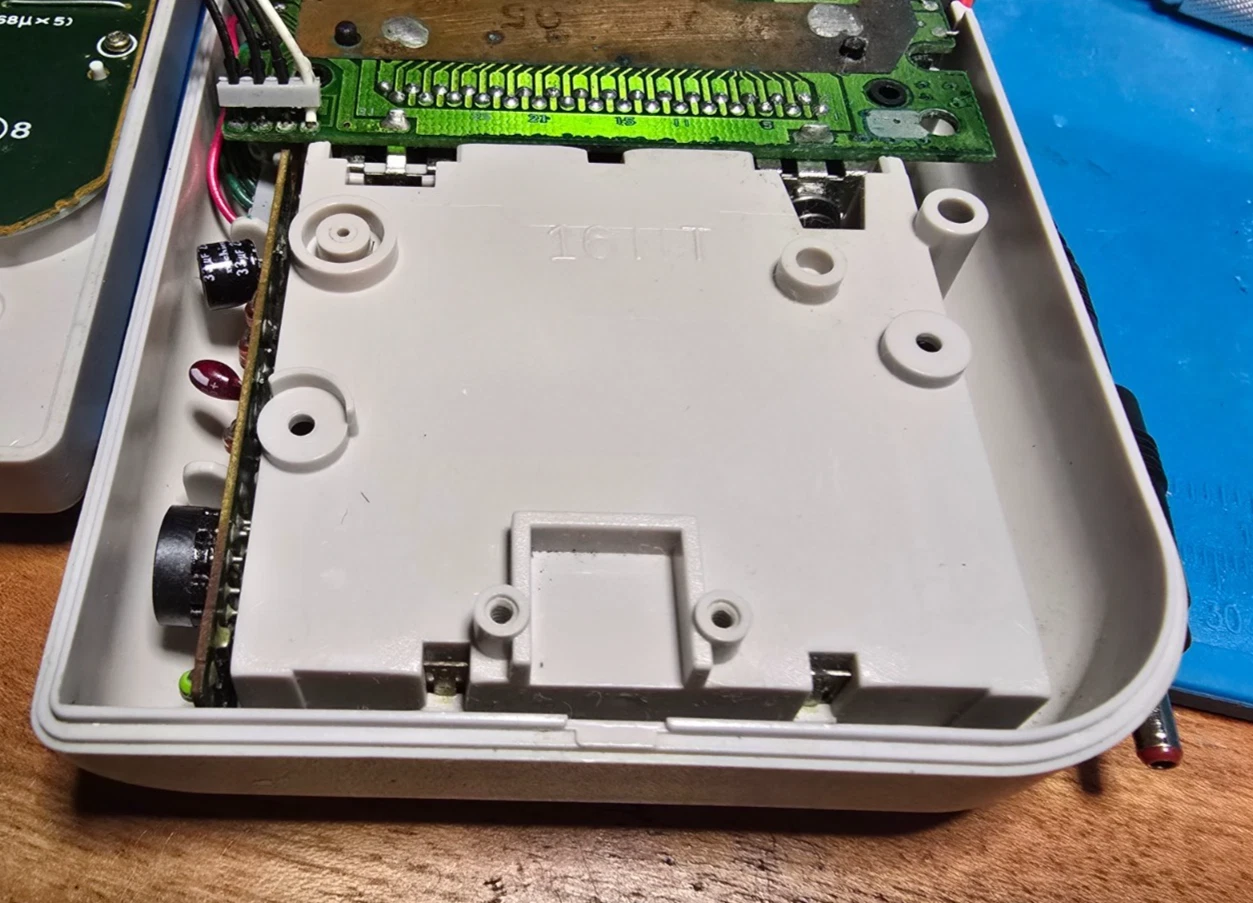
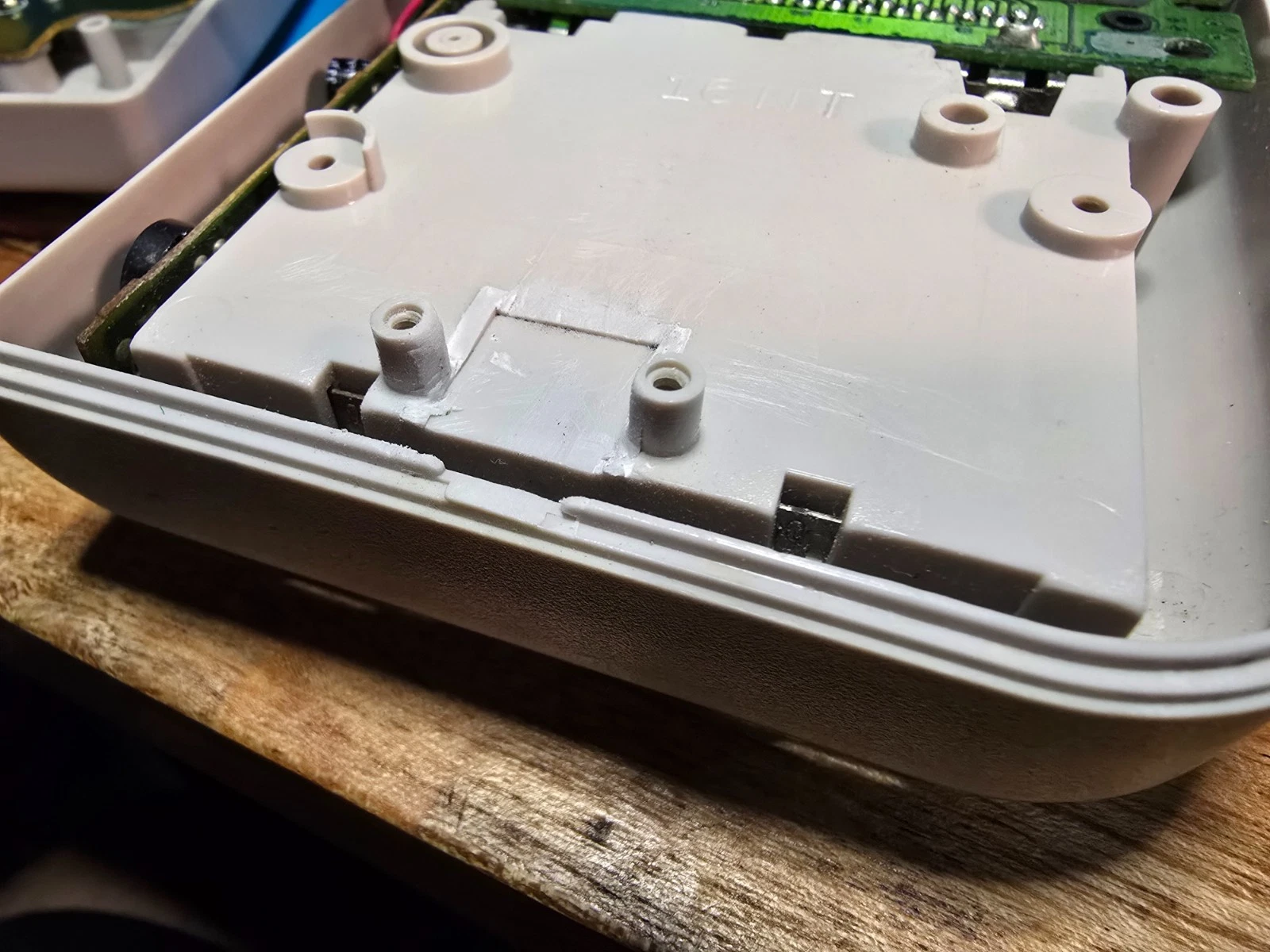
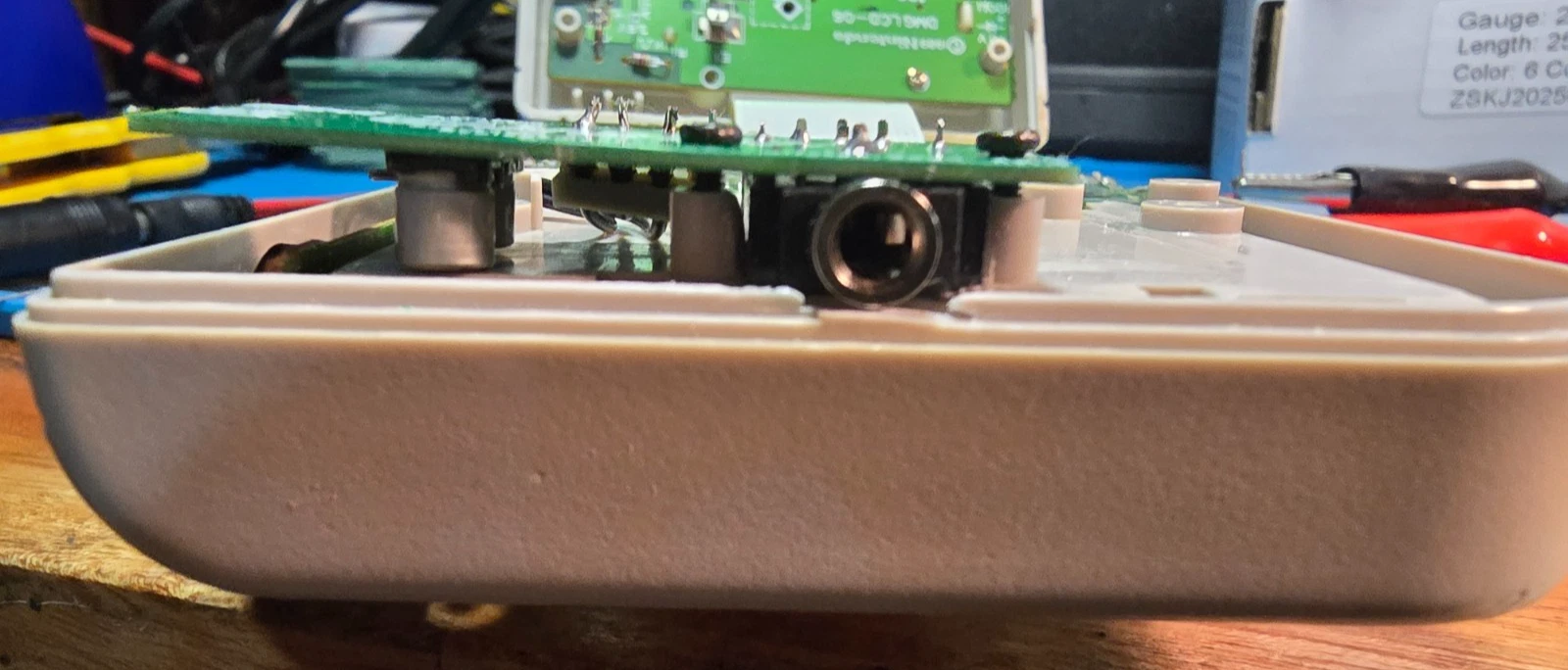
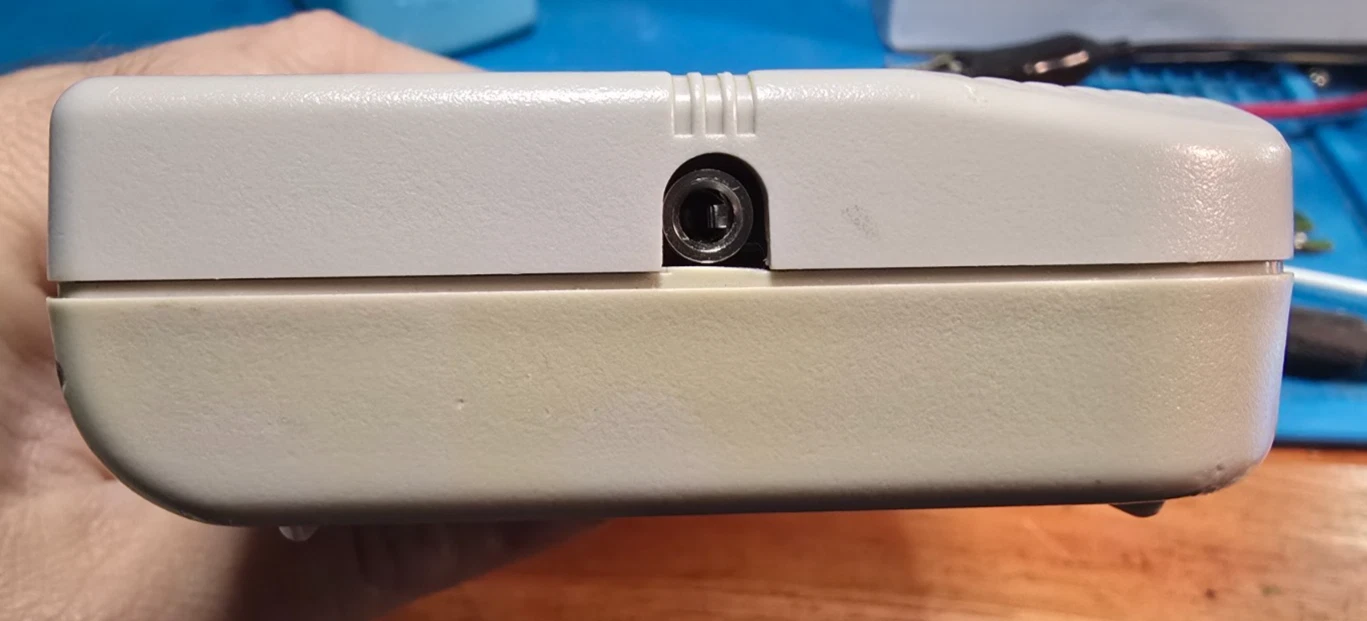
- A permanent internal case trim. The new jack is a couple of millimeters larger than the original, so you shave away a small plastic “box” inside the shell. It’s entirely internal and invisible from the outside. The Pro also needs one small hole drilled in the shell for the second jack.
Tools: soldering iron, solder (leaded recommended) and flux, desoldering wick, a tri-wing screwdriver (external screws) and Phillips (internal), and flush cutters for the trim. Optional: a file or sandpaper to smooth the trimmed plastic, a hobby knife, and a multimeter for continuity. Pro version also needs a drill or rotary tool for a clean second-jack hole.
Install: Base version
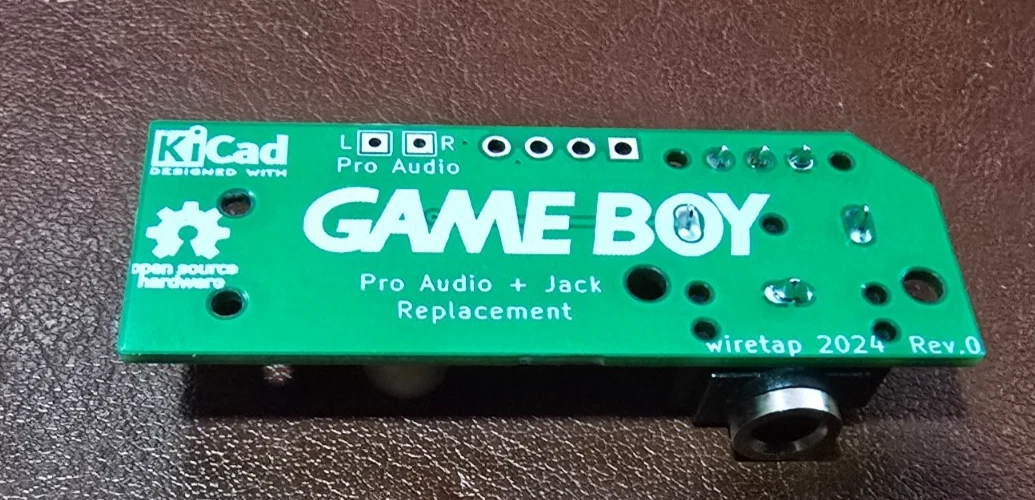
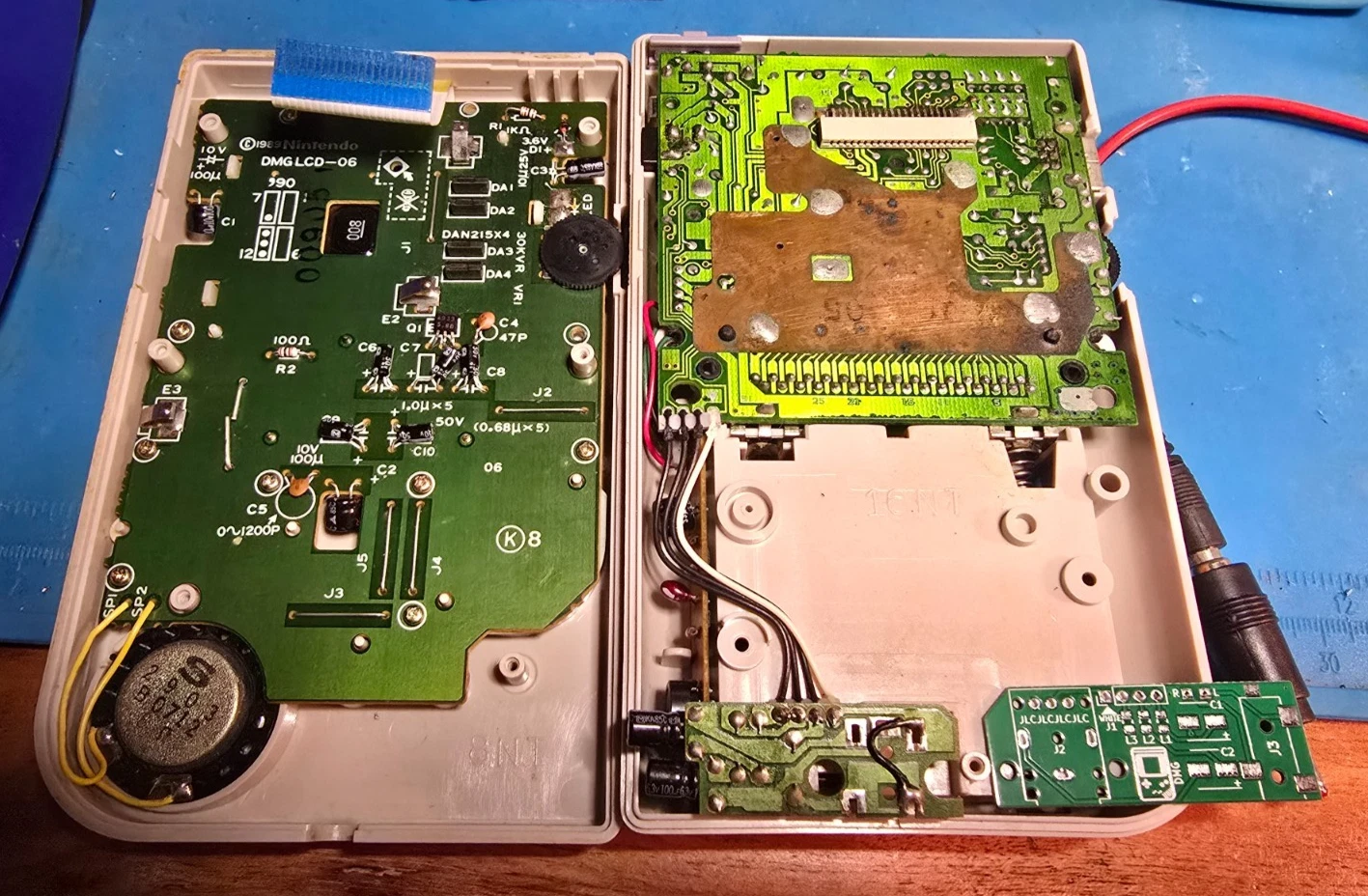
- Disassemble your DMG Game Boy.
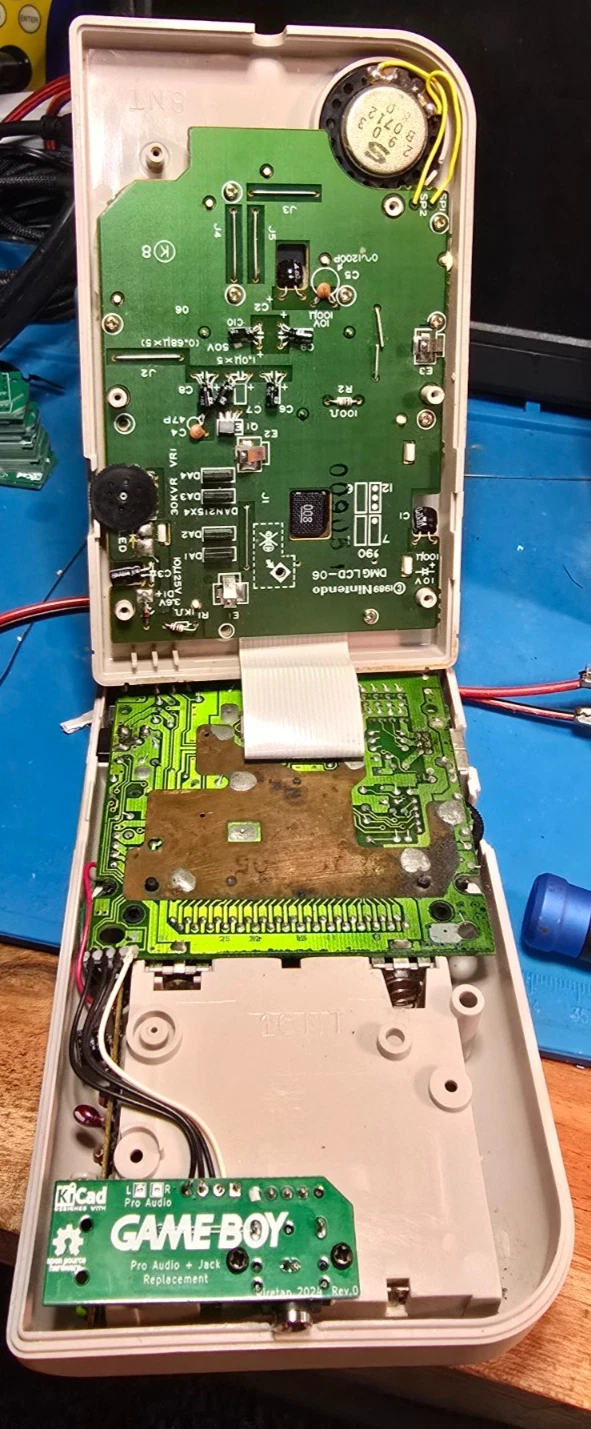
- Desolder the old board. Flux the four wire pads on the back of the original headphone board and wick away as much old solder as you can.
- Free the wires. Gently heat each pad while lifting the board; the wires should release easily. Don’t pull or force them. That can damage the wires or the mainboard pads. The harness can stay in its clips.
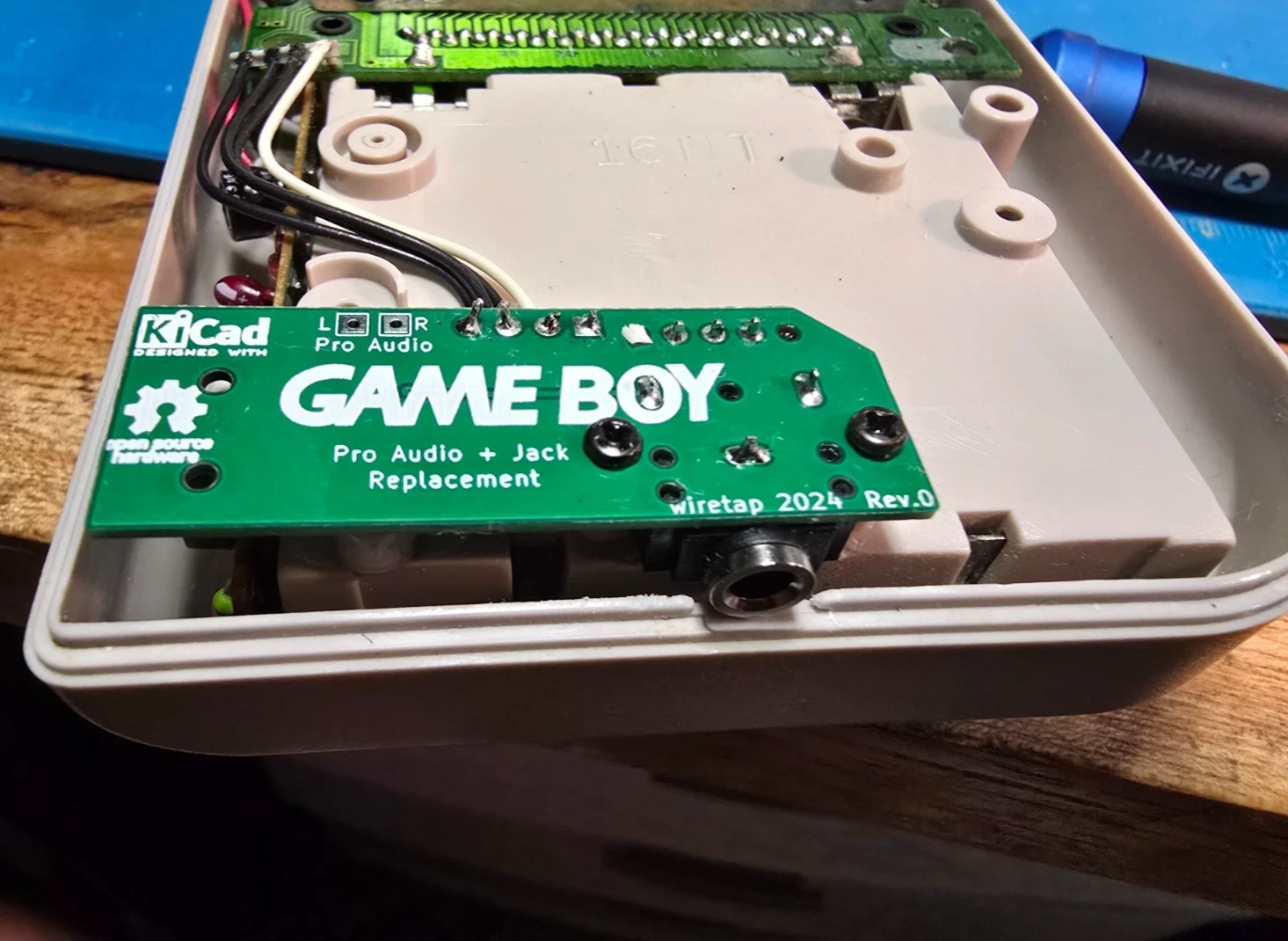
- Fit the new board. Insert the four wires into the new board in the same orientation. The white wire’s pad is clearly marked.
- Solder. Flux and solder the four wires for clean, shiny joints, and check for bridges. The capacitors may leave the board sitting at a slight angle. That’s normal.
- Test before you cut anything. You should get speaker audio with nothing plugged in, and headphone audio when headphones are inserted.
- Trim the case. With flush cutters, carefully cut away the plastic “box” inside the shell that surrounds the jack. Avoid the nearby screw posts; a little filing gets a perfect fit.
- Reassemble. Line the board up with the screw holes and start the screws. Don’t over-tighten: the board seats securely without being torqued down, and a slight angle is fine.
Additional steps: Pro Line-Out version
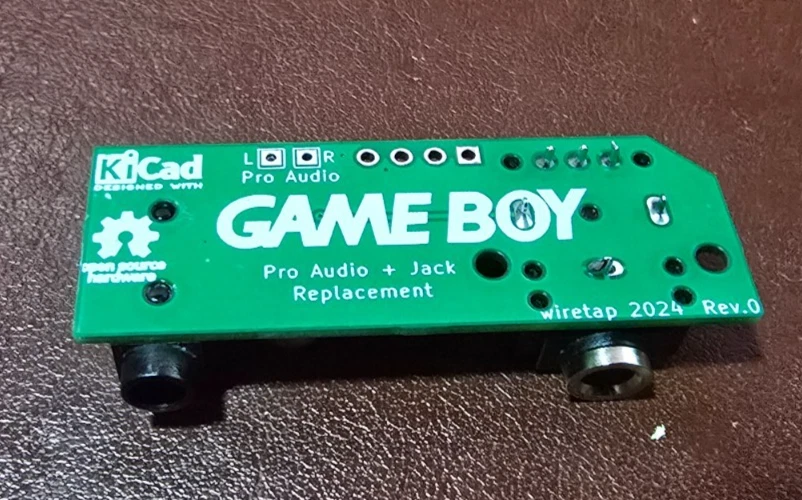
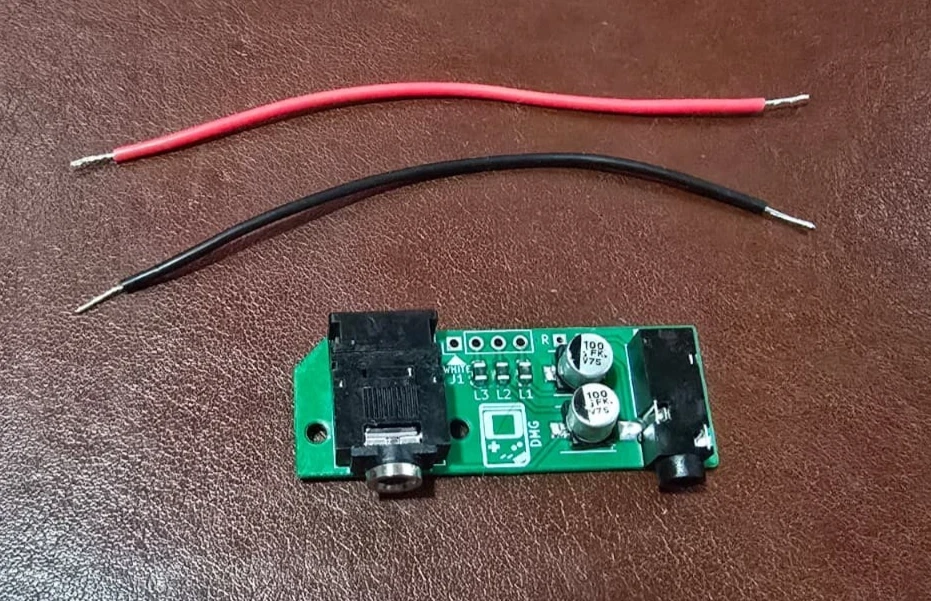
- Attach the line-out wires. Before trimming the case, solder the two included wires to the pads marked R and L: twist the bare end, insert it, flux, and solder.
- Connect to the mainboard. Find the volume wheel on the mainboard. The R (red) wire goes to the top pin of the volume-wheel connector; the L (black) wire goes to the second pin from the top. Tin the wires first.
- Test the line-out. Confirm you’re getting clean audio from the new jack.
- Drill the shell. In addition to the main-jack trim, drill a clean hole in the shell so the line-out jack is accessible from outside.
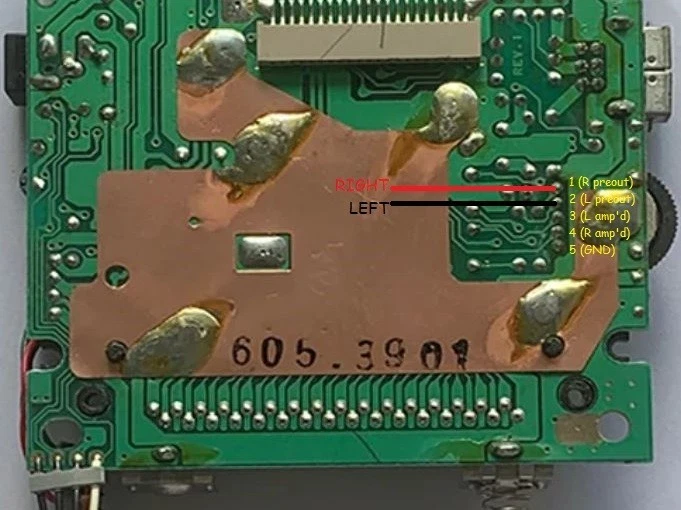
Using it
The Base jack works exactly like the original: headphones for private listening, speaker when nothing’s plugged in. On the Pro, the second jack is a line-level output that bypasses the Game Boy’s internal amplifier, giving you a clean signal straight from the console for recording or feeding a mixer or interface, ideal for chiptune work.
Open-source design and the BOM
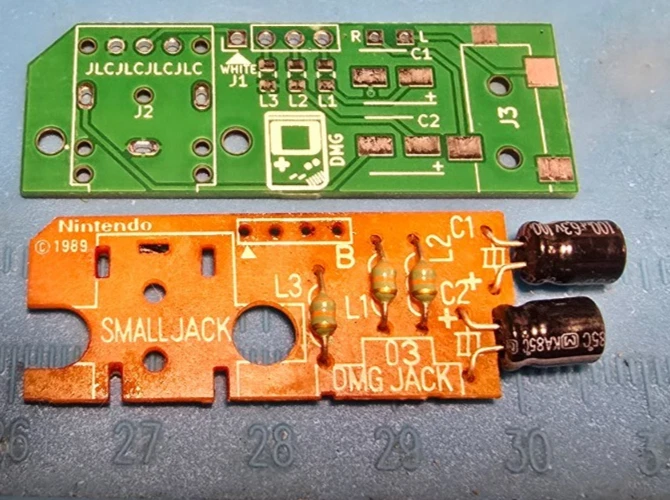
This board is the open-source wiretap-retro “Gameboy DMG Headphone Jack PCB” project, released under CC0. If you bought the bare board (or just want the schematic and full bill of materials), it’s all public on GitHub: github.com/wiretap-retro/Gameboy-DMG-Headphone-Jack-PCB. I manufacture the boards with all-new parts, assemble, and test them. Questions about the design or the install are always welcome; message me any time.
← Back to the Game Boy DMG-01 Headphone Jack Replacement Board: Audio & Speaker Fix listing